

How to Make a Marriage Biodata (with Examples)
A step-by-step guide to crafting a modern, readable biodata for marriage, what to include, what to skip, and how to export a clean PDF.
What is a marriage biodata?
A marriage biodata is a concise profile used for matchmaking. It summarizes who you are, your family background, education, work, and what you are looking for in a partner. Think of it as an introduction, clear, honest, and easy to scan.
Ideal length & format
- 1 page is ideal; 2 pages maximum.
- Prefer PDF for sharing; it preserves layout and fonts on every device.
- Use consistent margins, headings, and spacing for a professional feel.
Essential sections
- Basic Details: Full name, age, height, religion/caste (optional), location, contact.
- Family Background: Parents, siblings, family values, brief summary.
- Education & Work: Degrees, college, current role, company or business.
- About Me: 3 to 6 lines on personality, interests, values.
- Partner Preferences: Age range, education/profession, location, values.
- Photo: A clean, well-lit portrait.
Photo tips
- Natural daylight works best; avoid harsh shadows.
- Neutral background; keep the frame uncluttered.
- Crop from chest or waist up; maintain clear focus.
- Wear solid colors; avoid busy patterns.
Language & fonts
Use a friendly, straightforward tone. If you’re sharing with family or communities that prefer native languages, prepare versions in English and your native language. Choose clean, legible fonts at 11 to 12pt for body text and 16 to 20pt for headings.
Exporting a clean PDF
- Ensure margins, line breaks, and photo crop look correct.
- Export to PDF and review the final file size (ideal 1 to 2 MB for easy sharing).
With MatriProfile, you can generate polished PDFs instantly and choose between free and premium template downloads based on your needs.
How to Create a Perfect Marriage Biodata Using Our Online Generator
Creating a marriage biodata doesn’t need to be complicated. With our MatriProfile Biodata Generator, you can design, customize, and download your biodata in minutes. This tutorial walks you through each section.
1. Biodata Language
Choose from popular Indian languages: English, Marathi, Hindi, Bengali, Telugu, Tamil, Gujarati, Kannada, Malayalam, Punjabi, Odia, Assamese. The best font is auto-selected for each language.

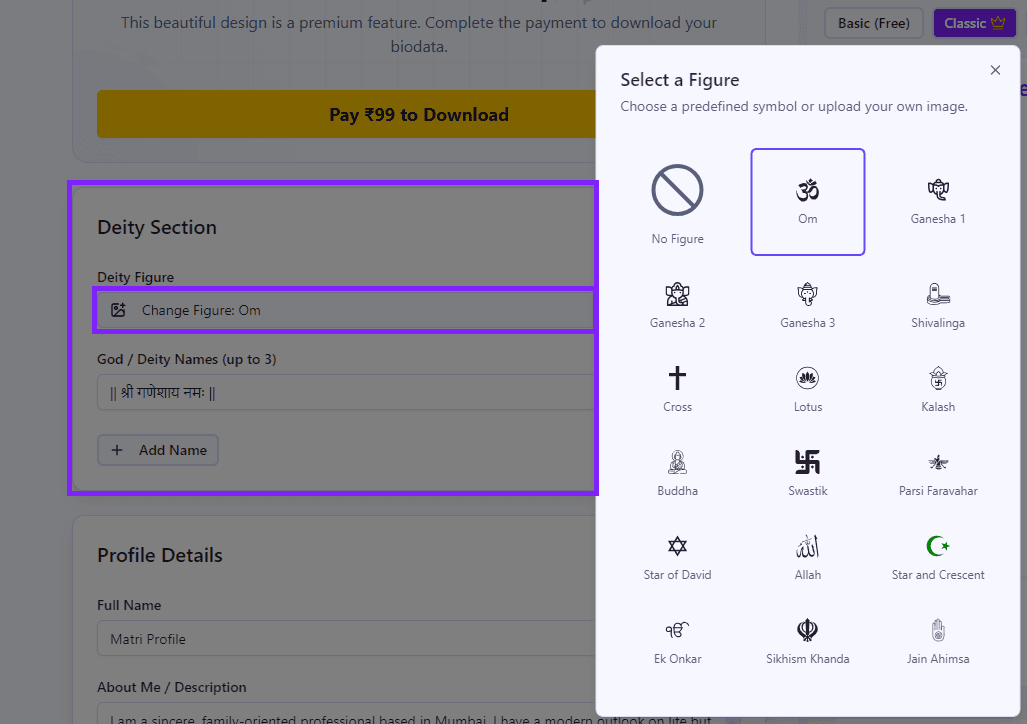
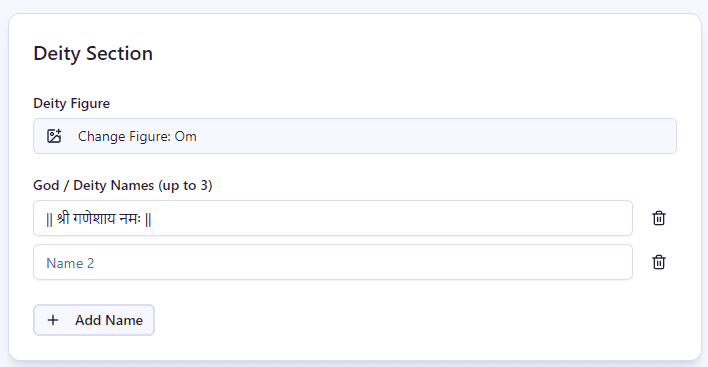
2. Religious Symbol
- Select your preferred deity/figure.
- Add up to 3 god names.
- Displayed neatly at the top of your biodata.
3. Profile Details
This section helps you introduce yourself. Fill in:
- Full name
- About me (short description)
- Phone number
- Social links (Instagram, LinkedIn, Facebook, etc.)
Keep your “About me” crisp. 3 to 4 lines are perfect.

4. Upload Your Photo
A biodata looks more personal with a photo.
- Upload your picture
- Crop it within the tool for the right framing
- Instantly preview how it looks on the biodata

5. Personal, Family & Partner Details
This is the heart of the biodata.
- Add personal info like DOB, height, education, occupation.
- Add family details (parents’ names, siblings, background).
- Define your partner expectations.
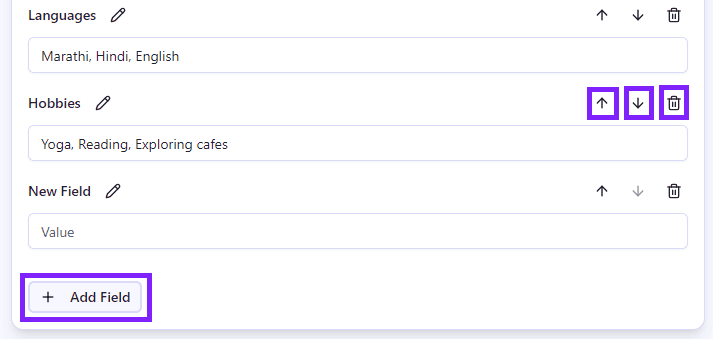
- Full customization: add, move, or delete fields as needed.
6. Custom Sections
Want something unique?
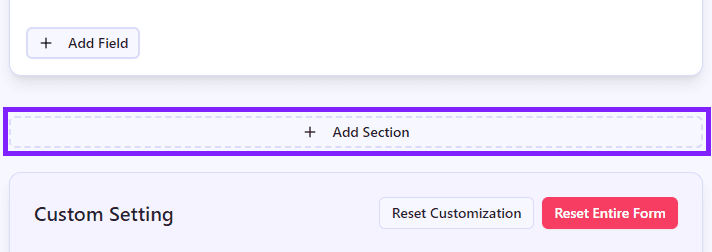
- Add your own sections (e.g. “Horoscope”, “Achievements”).
- Add new fields under each section.
This ensures your biodata truly reflects your personality.
7. Customization Settings
Make your biodata look stylish:
- Reset form anytime
- Select fonts (auto best font per language)
- Add your theme color
- Choose a background design
- Try out different looks instantly
✨ Some advanced styles are available in Premium Templates.

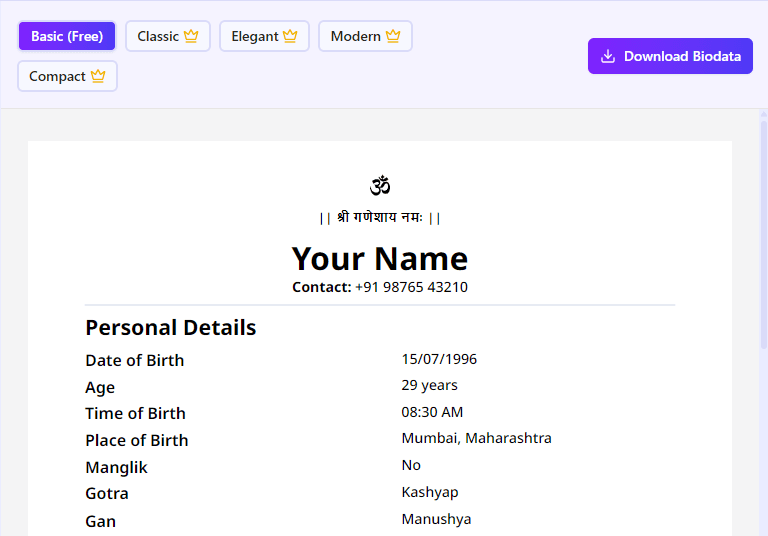
8. Live preview templates & download
Switch between templates, preview live, and download once satisfied.
- Compare template styles instantly.
- Download clean PDFs.
- Share via WhatsApp, email, or print it.

9. Free Templates
You can start creating your biodata instantly using our free templates. These are perfect for simple and clean marriage biodata formats.
- Create biodata without any signup
- Use standard biodata templates
- Download unlimited PDFs with watermark
- Works instantly in your browser
10. Premium Templates
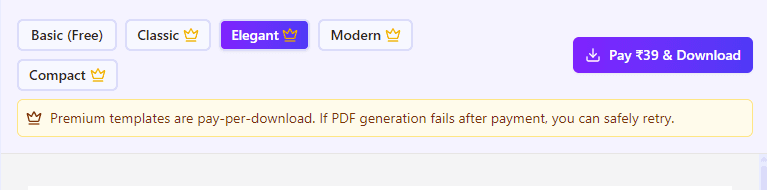
Need a more polished design? You can choose from premium templates and pay only when you download the PDF.
- Premium PDF download: ₹39 per download
- No subscription and no auto-renewal
- No login required
- Access beautiful premium templates and cleaner styling options
- Download premium PDF without watermark
Try a ready-made template
Pick a clean layout, add details, and export to PDF in minutes.
Questions? Read FAQ.